Going into this week I had very limited knowledge of Javascript so I had spent the week learning the basics such as variables, functions, data types and so on.
The basics
for (let number = 1; number <= 26; number++) {
console.log("number " + number);
}
I had gone over basic code to try and learn the basics of Javascript. For example, the code above is a for loop which is very useful to know how to do because it will repeat some code for you the one above is counting to 26 but I had added ‘number’ to the begging of the console log so it will read ‘number 1, number 2, number 3…’ I am continuing to develop my javascript knowledge through tutorials further.
Flowchart
I also created some flow charts to break down problems into smaller problems that are easier to solve and it’s an excellent way to visualise how code is meant to work. One flowchart I created was a flowchart visualising Dead by Daylight mechanics.

Whilst creating this flow chart I tried to apply computational thinking to break down things such as the generator repair task because I had tried to go in-depth with the flow chart it had become a little messy, especially the ‘is generator repaired’ box it’s still readable but next time I will keep the layout in mind. So when I did my future flow charts I made them tidier. for example, I created a flow chart based on a brief given.
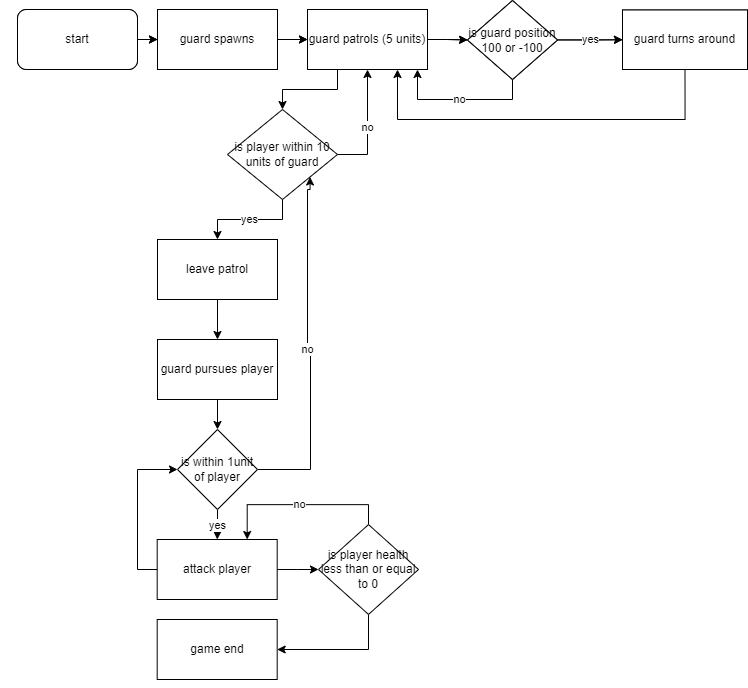
I made a flow chart from a simple brief of a guard game. I made sure this one was easier to read and the arrows were not as complex and messy.
Text-based game idea using flowcharts
I made the start of one more flow chart for a text-based game. I had looked at other story flow charts such as black mirror: Bandersnatch and Detroit become human seeing both of these project’s stories can change based on your choices.
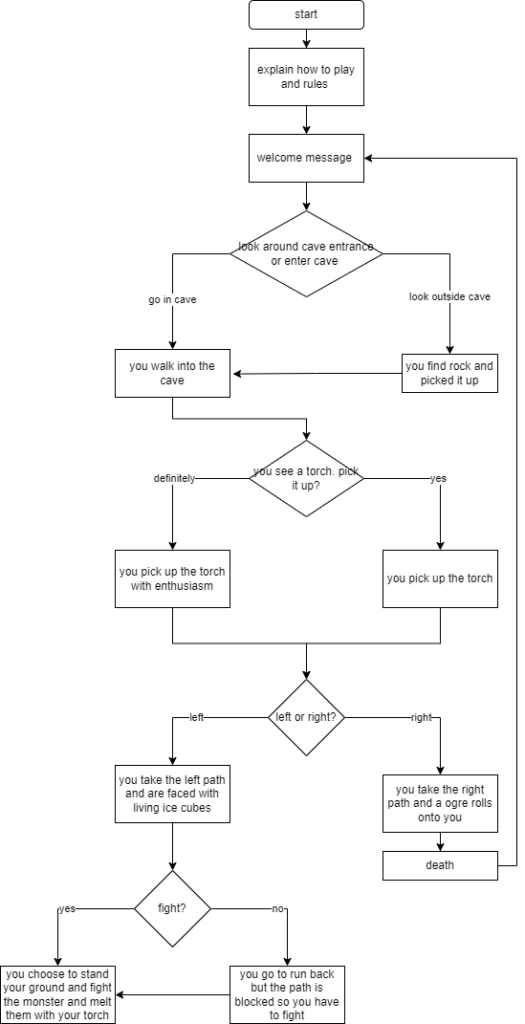
Buttons
This is just the start of the game and I did this to see if I could challenge myself and code it in javascript I looked through tutorials and web forums and I didn’t get far but throughout this week I will continue with this to make a simple text-based game. I did manage to make a web page with intractable buttons for it and it will show the options and the question on the screen.
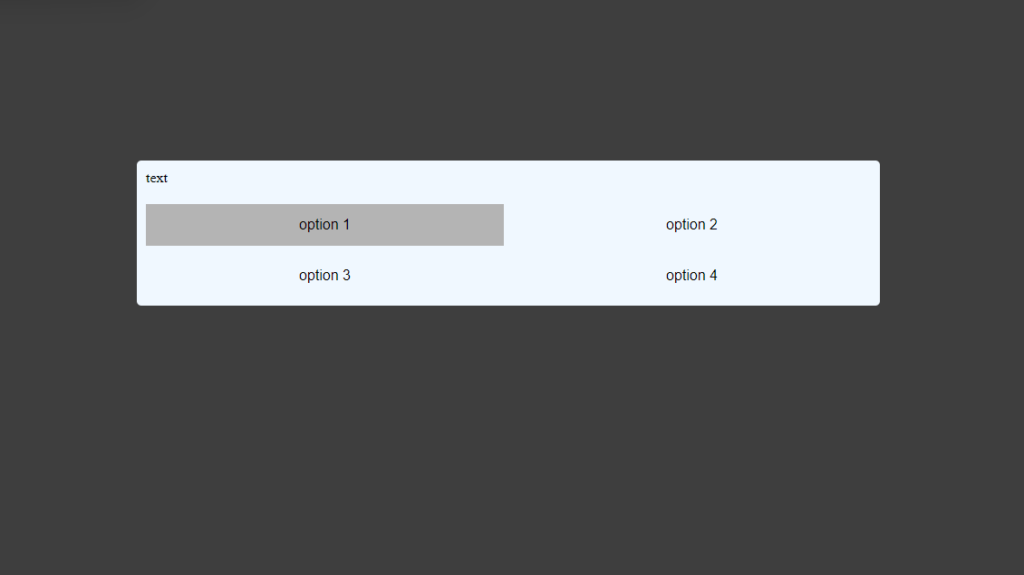
Just to make it a little more visually pleasing I made it so that when you hover over a button it will become darker. I will be playing around with the styles sheet and make it look more interesting and after I have implemented the choice system I will also try and add a visual aspect such as what tool you are getting or where you are.