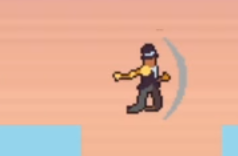
This week I have continued working on my Phaser prototype. a lot of this week’s time I spent trying to get the double jump to work successfully.
Going into this week I knew I wanted to work on the remaining 2 movement mechanics and get started on the knife throw but because of my struggling to make the game has been pushed back a bit but I still have enough time to get all things that I desire done before I go onto testing. working on the double jump took me longer than intended but I did get finished and it works how I wanted it to.
Double jump
When adding the double jump I was watching tutorials online and looking for snippets of code to see how I can make it work but none of it worked so after trying to follow tutorials for a long time I managed to make it work by combining my own knowledge I had learned with something I learned from the tutorial and it finally worked as intended. The problem I encountered was that I had nothing checking how many jumps were being taken so you could jump infinitely so I had to add a jump counter and if it was over 2 you cant jump again until back on the floor which will reset it to 0.
if (Phaser.Input.Keyboard.JustDown(keyW) && jumpCount < 1)
            {
                player.setVelocityY(-300);
                jumpCount++;
                console.log ("jump: " + jumpCount)
            }
            if (player.body.touching.down)
            {
                jumpCount = 0
            }
this week I also decided to change all my controls to WASD controls because I will use the arrow keys for the knife throw.
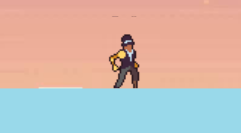
keyW = this.input.keyboard.addKey(Phaser.Input.Keyboard.KeyCodes.W);After adding the double jump I added the character sprite sheet that I found online so the character had some animations when walking.
Dash
I also had a bit of difficulty with implementing the dash. I knew it had something to do with the character’s velocity but when trying it would either make the character move forever at the set velocity or it would only move a small amount. I also thought back to what I learned from adding the double jump and added a counter so you can only move at that speed if the dash count is at 0 but that didn’t work. But I finally found a solution and it is to take the velocity down until it hits walking speed.
console.log(player.body.velocity.x)
        if (player.body.velocity.x > 160)
        {
            player.setVelocityX(player.body.velocity.x -20);
            player.anims.play('dash', true);
        } else if (player.body.velocity.x < -160)
        {
            player.setVelocityX(player.body.velocity.x +20);
            player.anims.play('dash', true);
        }else
        {
            dashCount = 0;

if (Phaser.Input.Keyboard.JustDown(space) && dashCount <= 1)
        {
            if (keyA.isDown && !keyD.isDown) player.setVelocityX(-800);
            if (keyD.isDown && !keyA.isDown) player.setVelocityX(800);
            console.log(player.x);
            dashCount++;
            console.log ("dash: " + dashCount);
        }
the dash will continue until the player’s velocity is back down or lower than 160. The dash I was very happy with it because it worked as intended and got the Celeste-style dash I was going for.