This week I was planning to finish my Phaser game Prototype and start testing but I was held back because I could not get a mechanic to work the way it was intended. the mechanic that had caused me trouble was the knife throw. the problem was it was not killing the enemies as intended. this week I also added the collectable and enemy.
Knife throw
The first mechanic I implemented this week was the knife throw which took me a while but I found an example that helped me when developing this code. The knife throw is thrown either left or right using the arrow keys. It is thrown as intended.
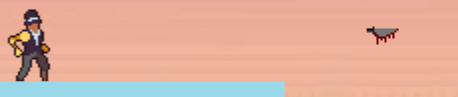
https://phaser.io/examples/v3/view/pools/bullets
This is the example I followed but changed what input is used to shoot a projectile, the position it is spawned, how many you can throw in a burst row and how fast they are thrown. This example helped me a lot and got the trow to work.
Enemies
I first spawned one enemy and was trying to make it patrol back and forth on a platform using 2 checkers that I could use on other platforms for more enemies but every time the enemy hit one there would be a problem that I could not figure out how to fix and neither could the peers that I asked. Because of the deadline coming up in a week I decided to change my approach and made it so the enemy would change depending on where it was to the player’s x position. I also made it so that the enemies spawn at random locations so the game is not the same every time.
enemy.children.iterate(function(child) {
                if (child.y != player.y && child.flipX ==false){
                    child.setVelocityX(75)
                }
                if (child.y != player.y && child.flipX == true){
                    child.setVelocityX(-75)
                }
                if (child.x > player.x && child.y == player.y){
                    child.setVelocityX(-200);
                    child.flipX = true;
                }
                if (child.x < player.x && child.y == player.y){
                    child.setVelocityX(200);
                    child.flipX = false;
                }
            })
function death(player, enemy){
player.disableBody(true, true)
restartText.setVisible(true)
}
this.physics.add.overlap(player, enemy, death, null, this);this is so that when the player and zombie overlap the player’s body will disappear and it will tell you to press R to restart.
Enemy Death
Now that the enemies are spawning and following the player I wanted to get it so the enemy can die when getting hit by a knife. every time I tried when the knife was overlapping an enemy or colliding but it wouldn’t seem to work. I did manage to make it do what the enemy does but it happens right at the start even when you are not near them. I spent a lot of time working on this and it was already Thursday and I wanted to start testing on Wednesday. I decided to leave it and I will come back to it and I put it in the ‘Stuck’ section on my Trello board.